Geomungo거문고
Create a short phrase with a low plucked recorded tone.
Real instrument recordings · Free · No accountGEOMUNGO Virtual five-note scale
Tap to play · Keyboard A S D F G · Esc to stop
A SMALL MELODY
Practise a short Yul melody
Write Jung, Im, Mu, Hwang and Tae separated by spaces. 0 or 쉼 skips one onset. BPM sets the spacing between starts, not sample duration; sound tails may overlap. These virtual five-note exercises are not full Jeonggan notation.
Geomungo sound and practice
How is the sound made?
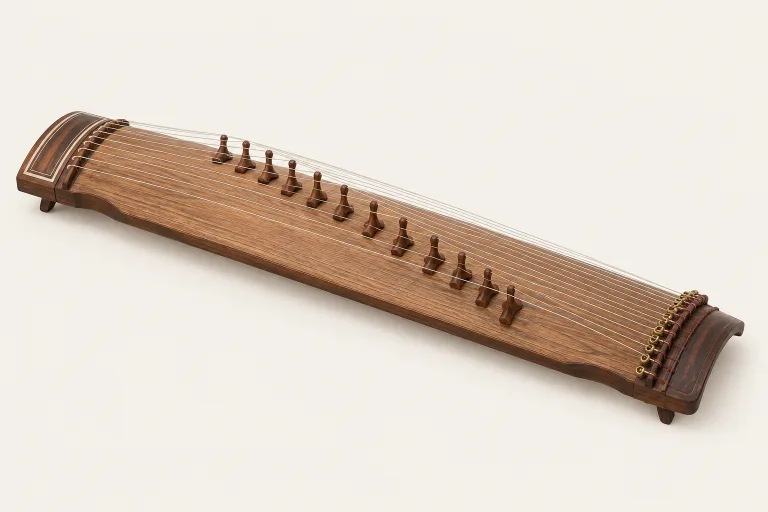
Geomungo has six strings and raised frets. A suldae stick strikes or plucks the strings, giving it a different sound-producing action from finger-plucked Gayageum.
A task to try here
Alternate Jung and Mu four times, distinguishing the initial attack from the remaining resonance. Repeat Jung Mu Jung 0 at 60 BPM, then hear the same sequence on Gayageum. Their virtual registers differ, so this is not a same-pitch comparison.
How the tool differs from the instrument
Buttons do not represent its six strings or fret positions. Stick direction, string selection, fretting and physical pitch inflections are not simulated.
These are UsefulSet listening and input tasks, not transcriptions of traditional pieces.
Try this
- Start at a low volume and explore one sound at a time.
- Play and record a short phrase, then listen again.
- Repeat the difficult parts slowly and return to them in your next session.
Sound and storage
Uses individual notes extracted from National Gugak Center recordings. Pitches are adjusted to the virtual buttons and may differ from authentic tuning. Recordings: National Gugak Center · KOGL Type 1. Edited: note extraction, silence trimming, level adjustment, fades and MP3 conversion.
Virtual five-note buttons do not represent actual strings or finger holes.
No microphone is used. Recording stores pressed notes and timing for up to two minutes and 1,000 notes in this browser. Clearing browser data removes them. Playback and recording stop when the tab is hidden. New Danso best scores are saved only when optional practice history is enabled and remain on this device.
Sample files and editing details
National Gugak Center single-note source IDs and filenames: 2590 · gumungo_D_scale_mid_80.wav
MP3 files used for this instrument: 5; edited by extracting notes, trimming silence, adjusting levels, adding fades and converting to MP3.
Largest difference between a virtual button and its analysed source pitch: about 0.93 semitones. Playback-rate changes alter both pitch and duration. This analysis is not professional tuning verification.
Recording stores note names and press times, not microphone audio, volume changes or an audio file. Replay uses the saved timing at the current volume. Starting a new recording replaces the previous one.